 Kia Skretteberg
CoNexus Centre
Mock building app | Project website | NAIT event page and recording
Result: First place overall (two teams competed), and three of the five category awards: Best IT Design, Best Architectural Design, and Best Interior Design.
Premise
While attending the Computer Engineering Technology program (from 2020-2023) at NAIT, I heard about the Cisco Smart Building Competition, a multi-disciplinary competition where students from Alternative Energy Technology, Architectural Technology, Interior Design Technology, Landscape Architectural Technology, and a broad grouping of Information Technology programs would compete to design a smart building for the future.
I had only completed my first year of the program, but I was deeply interested in IoT and smart technology, and I knew I had to enter.
Problem
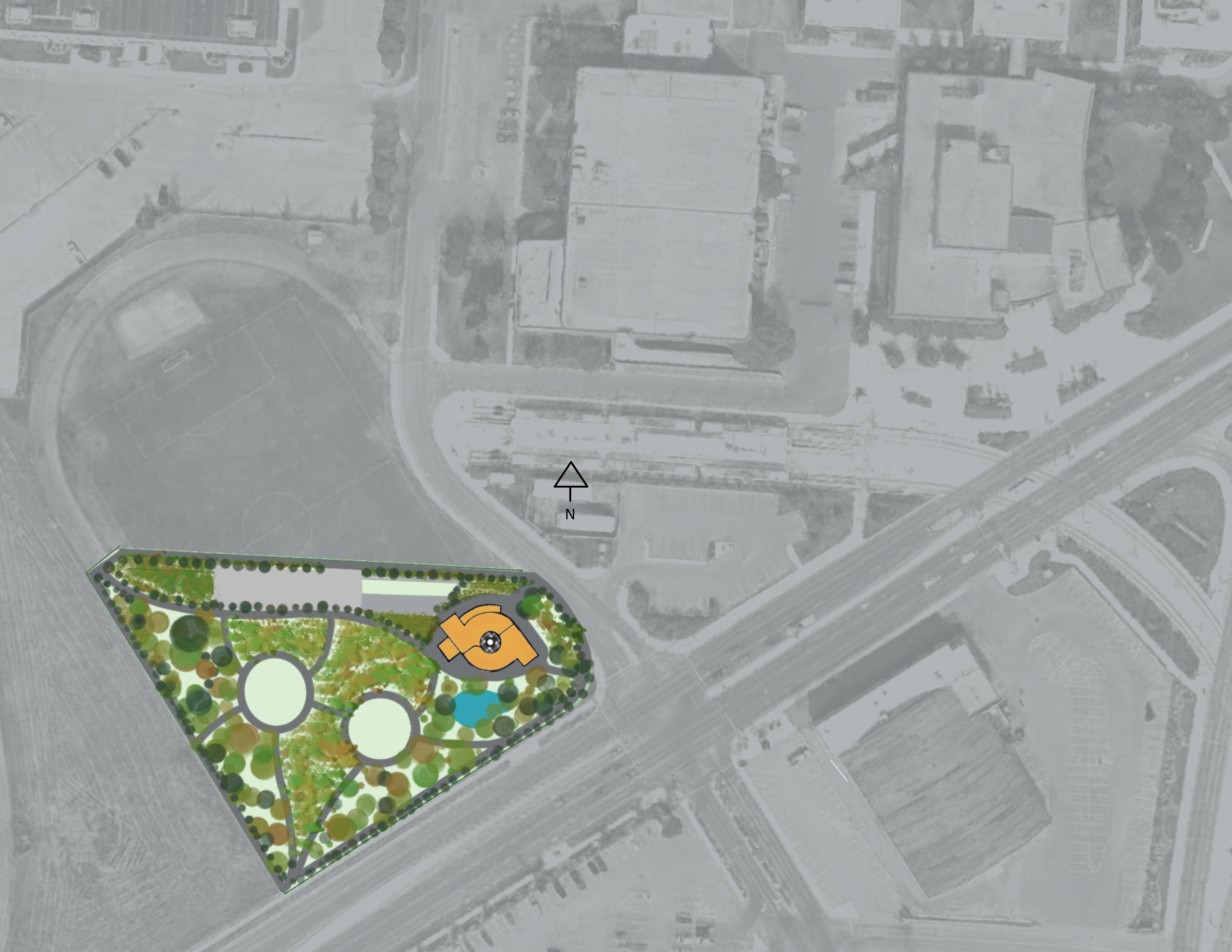
The competition had historically been about building smart homes, but this year in particular, 2022, they gave the challenge of designing a smart community hub to be built on the old Blatchford site. It was supposed to be a building for NAIT students, but also for community members.
My Role
The way the teams shook out, there weren't a lot of IT students in the competition, so I was the only IT representative on my team. This meant that I was responsible for the full IT design of the building from the network, to the security, to the smart devices that controlled the building.
Given my background in web design, I also chose to build a presentation website to show off our design, and a mock building app to show how the smart devices would work together to make the building more interactive and user-friendly.
Solution
I really took "Smart Building" to heart and decided to make the building be the "smart building of my dreams". I thought about how students and other community members would use the space, and the variety of needs the various demographics would have.
Accessibility
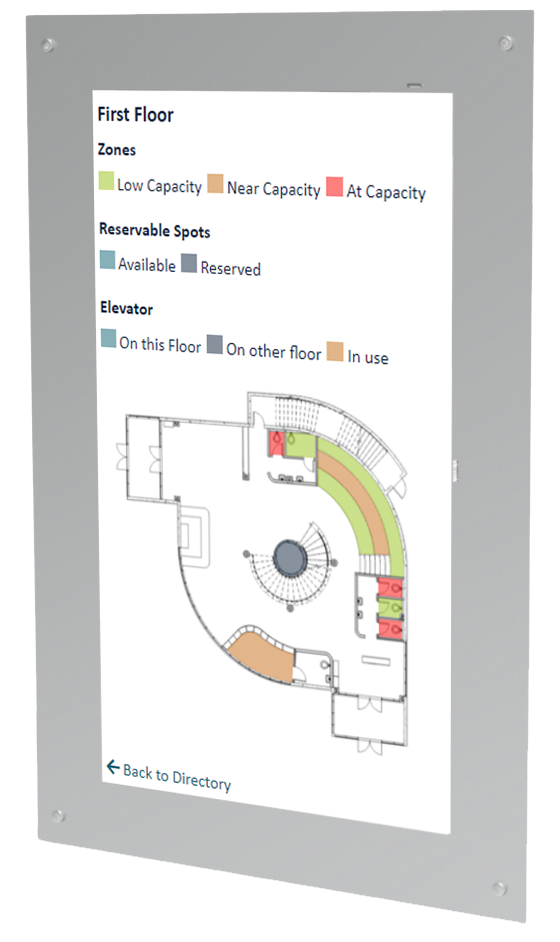
Accessibility was a big driving factor for our team as a whole and I made sure to incorporate that into the IT design. This included:
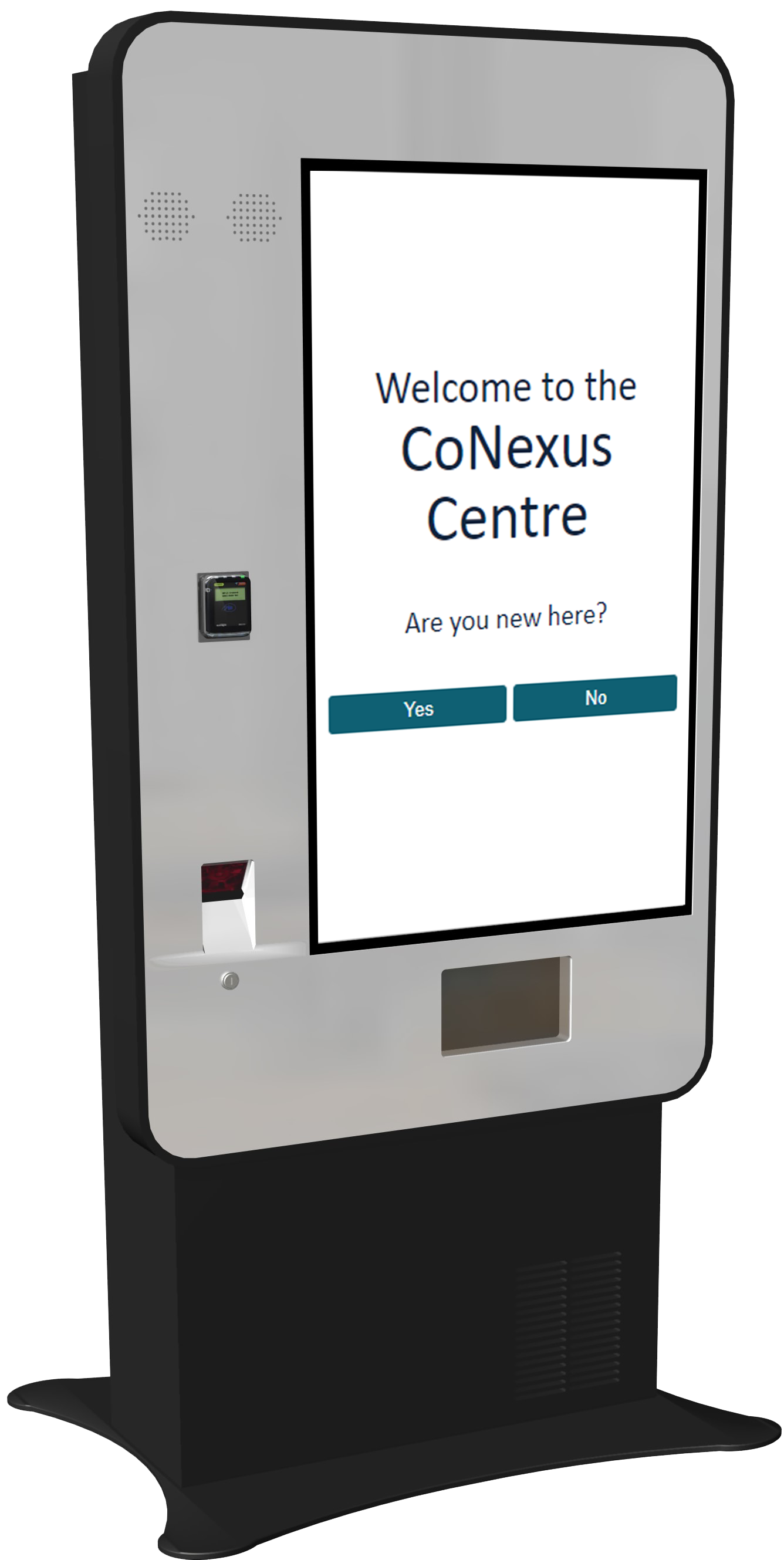
- Sign-up kiosks at both entrances, where new users without a smart device could create an account, get an access card, and borrow a loaner device from the lockers. This meant that financial struggles shouldn't limit someone's ability to use the building. The access card concept was intended to be similar to a library card, and was free to sign up.
- Touch-enabled in-wall display boards at both entrances, with a building directory and a map showing which spaces are in use or available. This meant that people who don't show up regularly and don't want to carry around a smart device could still access vital information about the building. We also made sure to consider how accessible the kiosks and display boards would be for wheelchair users and children.
Energy Efficiency
Energy efficiency was another big factor, and the smart technology was key to this plan:
- Sensors placed throughout the building were able to monitor occupancy, temperature, and lighting levels, in order to automatically adjust lighting via motorized blinds and smart lights, as well as heating and cooling. This meant the building would be comfortable year-round without a need for a human to adjust settings.
Security
For such a smart building, security was a big consideration. We had to ensure the building was secure so occupants could feel safe, the network was secure so users would feel comfortable working in the space on their personal devices, and that the smart tech would be safe from theft so the space could continue to be enjoyed for years to come. This meant:
- All users would have to sign up for an account to connect to the network, get access to the building outside of specific hours, and interact with the smart building via a smart device.
- All of the entrances would be monitored by security cameras, as well as generally monitoring the exterior of the building. This would allow hiring a small security team to monitor the cameras.
- All smart devices that could be borrowed from the device lockers would be bricked if taken outside of the network range so that they would be useless to a thief.
Smart Features
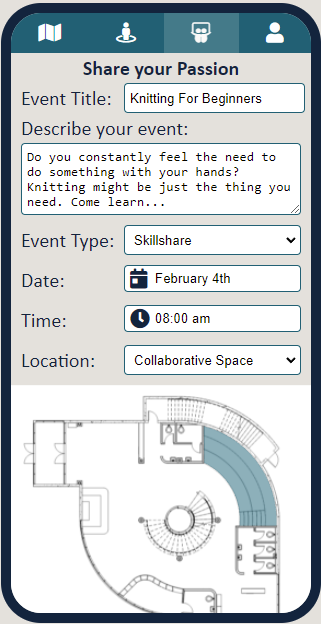
For that true "smart building of my dreams" experience, it had to feel like it integrated seamlessly into users' daily lives and made it easier to use the space. This meant the building needed a mobile app that integrated with all of the various smart tech in the building allowing users to:
- Access the building using their smart device instead of a key card.
- Receive notifications and alerts about the building and any upcoming events.
- Sign up to either host or attend an event and receive notifications about those events.
- Reserve study spaces and/or check availability of study spaces.
- Set lighting and temperature preferences that would be remembered and used anytime they scanned into the building. Their preferences would be averaged with other visitors' preferences, such that if they were the only one in the space, their preference would be used exclusively, but if there were multiple visitors, the average would be used.
- Check the building status and occupancy before leaving home to see if it is worth going in.
- See which washrooms are available, before even getting up from their study space. Given the small scope of the space it would help reduce lines at the washroom and ensure visitors wouldn't head to the wrong floor only to find the washroom was full.
Challenges
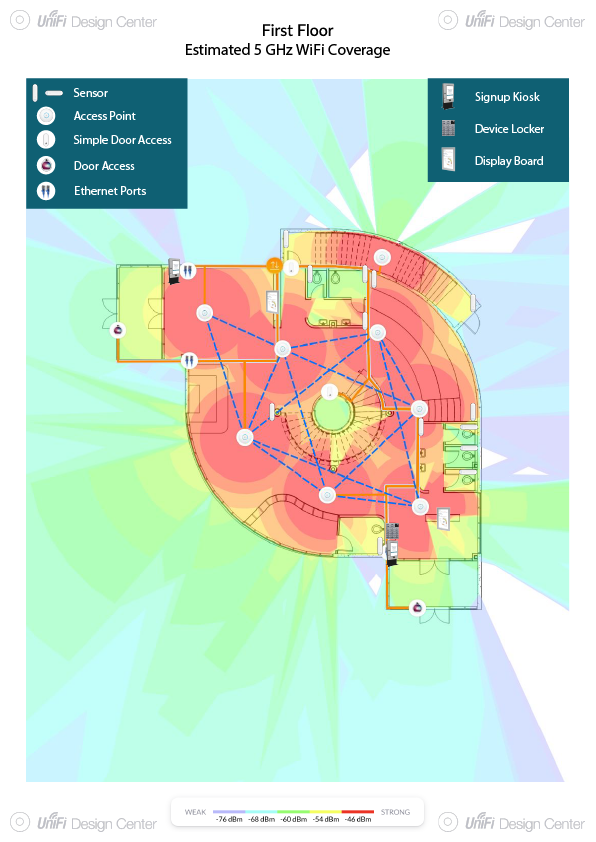
I had never designed a network before, so I had to teach myself a whole new discipline, researching heavily and leaning on our instructors, while going to school and working at the same time. What I could bring was my hardware and software background, which let me design more interactive features, such as the device rental lockers, sign-up kiosks, mobile apps, and motion sensors. I had a lot of fun figuring out just how and where I could incorporate as much technology as possible, but figuring out how to connect it all (see the network topology diagram) and map out wifi access and the exact placement of security cameras for privacy and security was a challenge.
We started with five disciplines and lost two of them partway through, when our alternative energy and landscape students left, so the rest of us shuffled responsibilities. One of our team members, who had been running our meetings, took on other work, and I stepped into more of a leadership role to keep the team together and functioning.
As a team we'd discussed an educational basement where visitors could see the alternative energy systems, and outdoor space such as solar walkways for informational displays and gathering spaces for movies and events. When the two team members left, that work was dropped and we had to make up the time. We still needed to present a functional building and space, so we hinted at those plans without going into detail, rather than misrepresent areas we weren't familiar with. For example, some of my tech specs included projectors, access controls, and motorized blinds that all interacted with things that weren't discussed at all in our final presentation, such as the outdoor greenhouse. The motorized blinds were part of the lighting preferences controls which also weren't fully fleshed out.